





Description
Nutrition Facts Label Creator for WPBakery 1.5.0
Long description
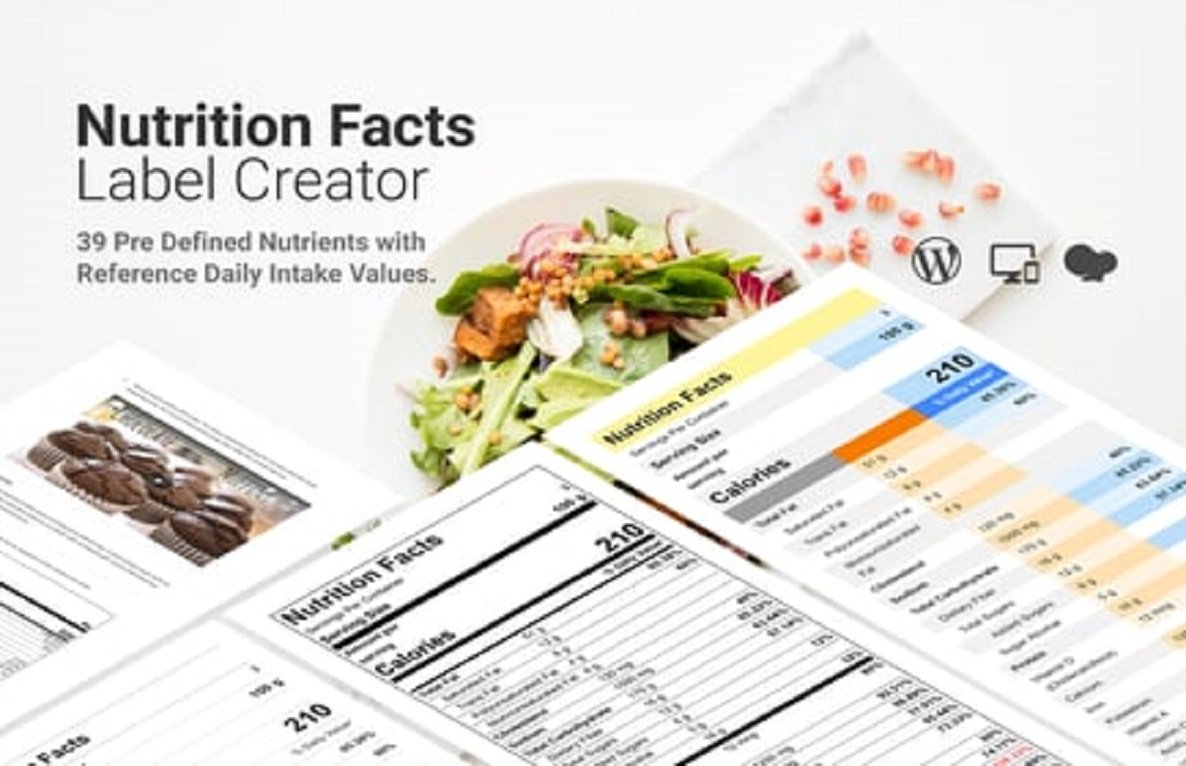
Nutrition Facts Label Creator for WPBakery makes it simple to create beautiful, standards-style nutrition labels (like those found on food packaging) and place them anywhere using the WPBakery page builder. Designed for food blogs, recipe sites, product pages, and e-commerce stores, the plugin produces accessible, responsive labels that follow common layout conventions and are easy to customize — without needing to write HTML or CSS.
You can create labels manually, import nutrition data from recipe/product fields, or save reusable label templates. Labels are pixel-tight for printing and screen presentation, mobile-friendly, and provide semantic markup for accessibility and SEO.
Key features
- 🍎 WPBakery element — drag-and-drop Nutrition Facts block that you can configure in the WPBakery editor.
- 🧾 Full nutrient support — calories, serving size, servings per container, total fat, saturated fat, trans fat, cholesterol, sodium, total carbs, fiber, sugars, protein, vitamins & minerals (custom fields allowed).
- 🎨 Style controls — choose fonts, sizes, borders, alignment, and colors; responsive presets for mobile/tablet/desktop.
- 🔁 Templates & presets — save reusable label templates and apply them site-wide.
- 🔗 Shortcode support — insert labels anywhere with
[nutrition_label id="123"]. - 🔌 Data import — map label fields to post meta, WooCommerce product attributes, or custom fields.
- ♿ Accessible markup — semantic HTML and ARIA attributes for screen readers.
- 🖨️ Print-ready — optimised spacing and sizing for printing or generating PDFs.
- 🧩 Custom nutrients — add or hide nutrient rows and change units (mg, g, IU, %DV).
- 🔒 Lightweight & secure — minimal dependencies, sanitized inputs, and compatibility with caching plugins.
What’s new in 1.5.0
- ✅ Added mapping to WooCommerce product attributes for easy product label generation.
- ✅ New preset styles (Classic, Compact, Modern) and improved responsive behavior.
- ✅ Export/import of label templates (JSON).
- ✅ Improved accessibility: keyboard focus states and enhanced ARIA labels.
- 🐛 Fixed an edge case where custom nutrient units were not saved for some templates.
- ⚙️ Performance improvements when rendering multiple labels on a page.
Requirements & compatibility
- WordPress 5.6+
- WPBakery Page Builder (formerly Visual Composer) installed & active
- PHP 7.2+ (PHP 8 supported, recommended 8.0+)
- Works with WooCommerce (mapping added in 1.5.0)
- Tested with major themes; may require minor CSS tweaks for heavily-customized themes
How to use
- Activate the plugin.
- In WPBakery, add the Nutrition Facts Label element to any row/column.
- Fill the fields in the element panel or choose to map fields from post meta / WooCommerce attributes.
- Use the Style tab to pick a preset, adjust font sizes, border and spacing.
- Save — the label will render live in the builder and on the front-end.
Shortcode example
[nutrition_label id="123" template="classic" print="false"]
id— label ID (generated when you save a label block as reusable)template— optional preset (classic,compact,modern)print— optional toggle to enable print-optimized CSS
Template & data workflow
- Create a label block in WPBakery → Save as template.
- Reuse template on other posts or set it as default for product pages.
- Optionally map fields: e.g., map “Calories” to
_nutrition_caloriespost meta or to a WooCommerce attribute likepa_calories. When mapped, the label auto-populates on that post/product.
Styling tips
- Use the plugin’s presets for quick results.
- For exact print sizing, preview the page and use the “Print preview” toggle inside the label settings.
- To match theme typography, set the label font-family to “Inherit” in style controls.
Developer notes
- Filters provided:
nfl_label_output($html, $data, $args)— modify final label HTML.nfl_default_templates()— register custom templates programmatically.
- Actions:
nfl_before_renderandnfl_after_renderfor hooking custom logic.
- Markup is contained within
.nfl-labelto avoid CSS collisions.
FAQ
Q: Can I include custom nutrients like “Omega-3” or “Probiotics”?
A: Yes — add custom nutrient rows in the block settings and set units and %DV.
Q: Will this plugin affect site performance?
A: It’s lightweight and only loads assets on pages where a label is present. Version 1.5.0 includes additional render optimizations.
Q: Can I translate labels?
A: Yes — all user-facing strings are translatable and the plugin is ready for localization.
Support & contact
If you need help, check the plugin docs (Help link in the WP admin), or contact support via your plugin marketplace account. For developer integrations, use the filters/actions listed above.
If you want, I can now:
- generate a product page description tailored for a marketplace listing (long + short + bullet highlights), or
- create three marketing-ready presets (text + CSS suggestions) you can drop into the plugin, or
- draft copy for the plugin’s WP admin settings screens.
Which of those would you like me to do next?





Reviews
There are no reviews yet