





Description
Live Preview Switch Bar for WordPress 2.0
👁️ Instantly Preview Changes on Your Website
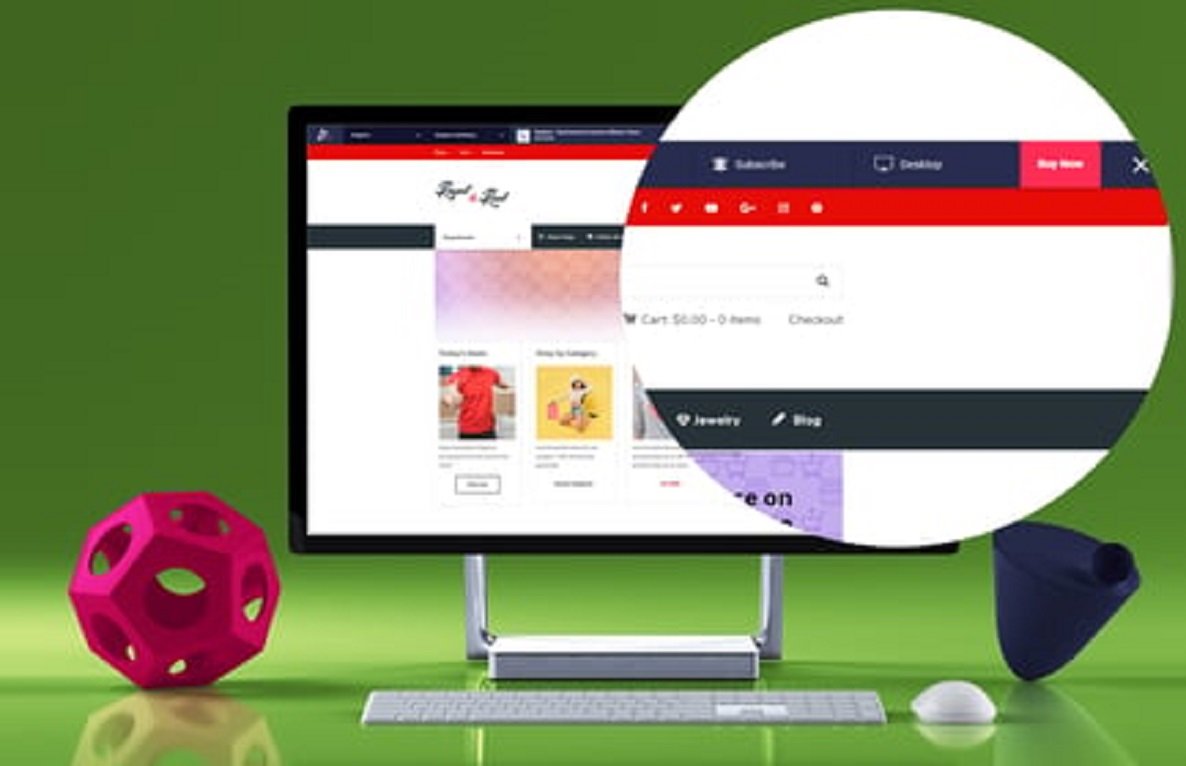
The Live Preview Switch Bar (v2.0) is a powerful WordPress plugin that allows your visitors or editors to preview different versions, themes, or layouts of your website in real-time. Ideal for theme demos, product previews, or A/B testing, this plugin ensures users can experience changes interactively without leaving the page.
🌟 Key Features
- ⚡ Instant Live Preview – Switch between themes, layouts, or designs instantly.
- 🎨 Customizable Switch Bar – Adjust colors, text, position, and icons.
- 📱 Responsive & Mobile-Friendly – Works perfectly on smartphones, tablets, and desktops.
- 🔄 Multiple Preview Modes – Theme previews, color schemes, header/footer variations.
- 🛠️ Easy Shortcodes & Widgets – Place the switch bar anywhere on your site.
- 🌍 Multilingual Compatible – Works with WPML, Polylang, and RTL websites.
- 🔗 Custom Links & Actions – Link previews to specific pages or demos.
- ✨ Smooth Animations – Sleek sliding and fading effects for better UX.
- 📊 Ideal for Demos & A/B Testing – Perfect for agencies, theme shops, and marketing websites.
- 🔧 Lightweight & Optimized – Minimal impact on site speed and performance.
📖 Long Description
The Live Preview Switch Bar for WordPress 2.0 is an essential tool for website owners, developers, and marketers who want to showcase multiple layouts, themes, or design options dynamically. Visitors can interact with a sliding bar at the top or bottom of your website to toggle between different previews instantly, creating a highly engaging and interactive user experience.
This plugin is perfect for theme demos, website redesign previews, or product pages where users need to see changes in real-time before making a choice. It also supports custom animations, positioning, and multilingual setups, making it highly versatile.
Version 2.0 brings improved responsiveness, smoother transitions, enhanced customization options, and better compatibility with modern WordPress themes and page builders, ensuring a professional and seamless preview experience.
⚡ How It Works
- 🔧 Install & activate the plugin.
- 🎨 Customize the switch bar style, colors, position, and icons.
- 🔄 Set up preview modes (themes, layouts, color schemes, etc.).
- 🚀 Place the switch bar via shortcode, widget, or automatic placement.
- 👁️ Visitors or editors can toggle previews instantly without leaving the page.
✅ Requirements
- WordPress 5.0+
- PHP 7.4+
- Compatible with Elementor, Gutenberg, and classic editor themes
💎 Why Choose Live Preview Switch Bar for WordPress 2.0?
- 👁️ Enable real-time preview of themes, layouts, or designs
- 🎨 Fully customizable switch bar to match your website branding
- 📱 Fully responsive and mobile-friendly
- 🔄 Perfect for theme demos, A/B testing, and design previews
- ⚡ Lightweight, fast, and optimized for performance
- 🛠️ Easy to use with shortcodes, widgets, or page builder integration





Reviews
There are no reviews yet